Mini PCs Explained: Who Should Buy One (and Who Shouldn't)
Kwik-E Deals is reader-supported: some links may earn us a commission at no extra cost to you. Learn more.
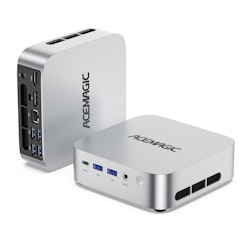
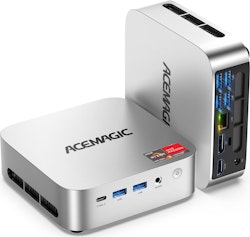
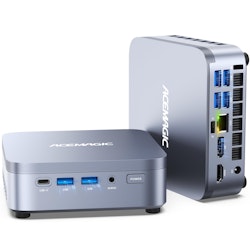
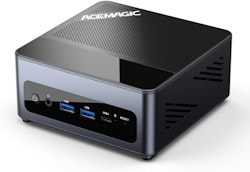
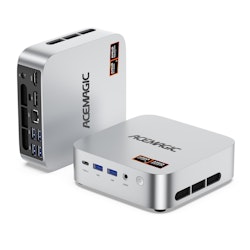
Mini PCs are tiny desktop computers, many small enough to hold in one hand or mount behind a monitor. They've become a popular alternative to full-size desktops and even laptops for some people. Here's what they're good at, where they fall short, and what to check before buying one.
What exactly is a mini PC?
A mini PC packs a processor, memory, storage and ports into a compact case, typically using laptop-class components. You add your own monitor, keyboard and mouse. Some come as complete systems with an operating system installed; others are sold as "barebones" kits where you add your own memory, storage and OS.
Many brands make them, ranging from well-known computer manufacturers to newer specialist companies. Some well-known compact desktops from mainstream brands fall into this category too.
Who mini PCs are great for
- Home office and family computers. Email, documents, web apps, video calls and spreadsheets run well on a modern mini PC, and it takes almost no desk space.
- Media centers. Plugged into a TV, a mini PC can run streaming apps, media server software, or a home theater setup.
- Home labs and tinkerers. Their small size and modest power use make them popular for running home servers, network tools, home automation, or learning about virtualization.
- Second computers. A dedicated machine for a kitchen, workshop, or a child's homework station.
- Clean, minimal setups. Mounted behind a monitor with a VESA bracket (when supported), a mini PC nearly disappears.
Who should think twice
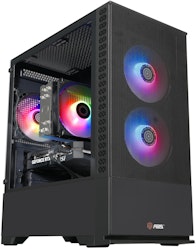
- Serious gamers. Most mini PCs rely on integrated graphics. Some newer chips handle lighter games well, but they typically can't match a desktop with a dedicated graphics card.
- Heavy video editors and 3D artists, for the same reason, unless you choose a high-end model built for that.
- People who need portability. A laptop is easier if you work from the couch, café, or classroom.
- Upgraders. You can often swap memory and storage, but you generally can't upgrade the processor or add a full-size graphics card.
What to look for
Processor
Check the exact processor model and look up reviews or benchmarks. Mini PCs span a huge range, from very low-power chips best for light tasks to fast processors comparable to mid-range desktops. Newer generations usually offer better efficiency and integrated graphics.
Memory and storage
- RAM: For general use, many buyers aim for 16GB to stay comfortable with lots of browser tabs. Check whether RAM is soldered or uses upgradeable slots.
- Storage: Look for an NVMe SSD. Some models offer a second slot for additional storage, which is handy for media or backups.
Ports and connectivity
This is where mini PCs differ most. Check for:
- Display outputs (HDMI, DisplayPort, or USB-C with display support) if you want multiple monitors.
- USB ports in the types you use.
- Ethernet, sometimes even two ports, which matters for networking projects.
- Wi-Fi and Bluetooth versions.
- USB-C power or charging, which some models support.
Cooling and noise
Small cases mean small fans. Some mini PCs are nearly silent; others get noticeably loud under load. Independent reviews are the best guide here. Fanless models exist and are silent, but are usually limited to lower-power chips.
Operating system and support
Confirm whether a licensed operating system is included, how drivers and BIOS updates are provided, and what the warranty covers. Buying from brands with a track record of updates and support reduces risk.
Mini PC vs laptop vs desktop
| Mini PC | Laptop | Full desktop | |
|---|---|---|---|
| Space | Very little | Self-contained | Most |
| Portability | Low (but small) | High | None |
| Screen/keyboard included | No | Yes | No |
| Upgradeability | Some (RAM/SSD) | Limited | High |
| Graphics power | Usually integrated | Varies | Highest potential |
If you already have a good monitor, keyboard and mouse, a mini PC can deliver a lot of desktop computing for the money. If you'd need to buy all of those, compare the total against a laptop.
How to evaluate a mini PC deal
- Search the exact model and processor for reviews.
- Check RAM and storage amounts, and whether they're upgradeable.
- Make sure the ports match your monitors and accessories.
- Confirm the OS license, warranty and return policy.
- Compare the price history. Many mini PCs see frequent discounts, so check our guide on real price drops.
Current mini PC and computer deals appear on our electronics page. Also see our budget laptop guide if you're torn between the two.